How to Use a Dive Computer Specifically for Spearfishing
Introduction
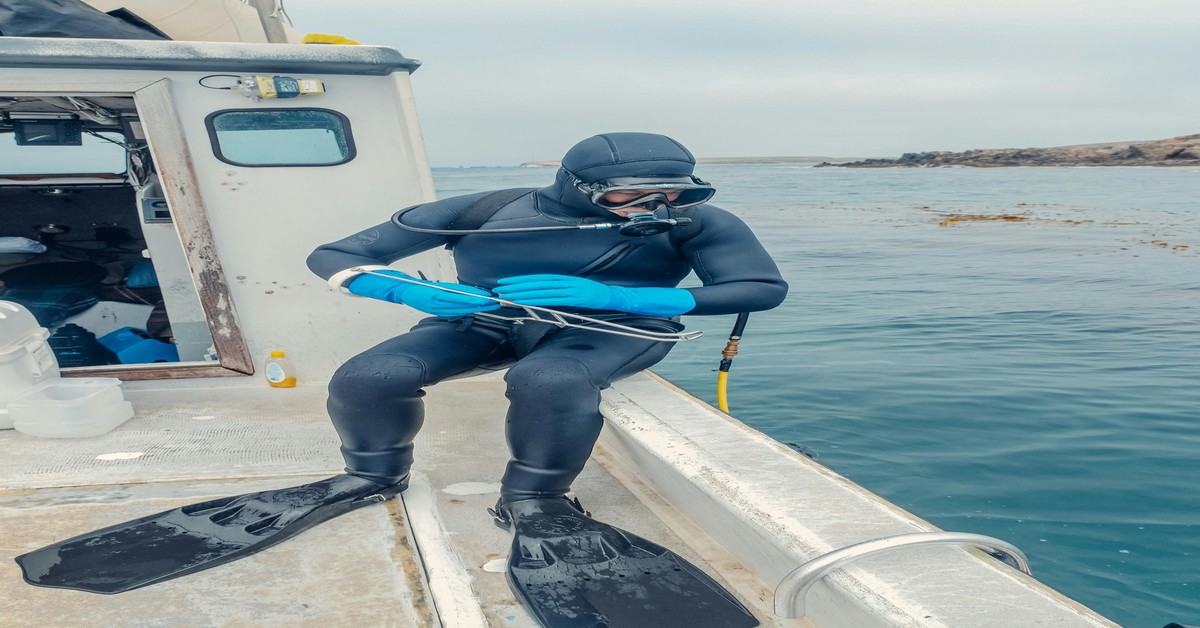
A dive computer is a wrist-mounted device that tracks your depth, dive time, and surface intervals in real time. For scuba divers, it’s standard equipment. For spearfishers, it’s less common but arguably more valuable once you understand what it actually does for you. This spearfishing dive computer guide covers exactly how to use one for freediving—not scuba—because the two are fundamentally different. If you’re a spearo transitioning from freediving without a computer or someone who picked one up but isn’t sure how to set it up for a hunt, this article is for you. I’ll walk through the practical setup, the metrics that matter, the mistakes to avoid, and how to get the most out of the data without letting the screen distract you from the fish.
Why a Dive Computer is Different for Spearfishing vs Scuba
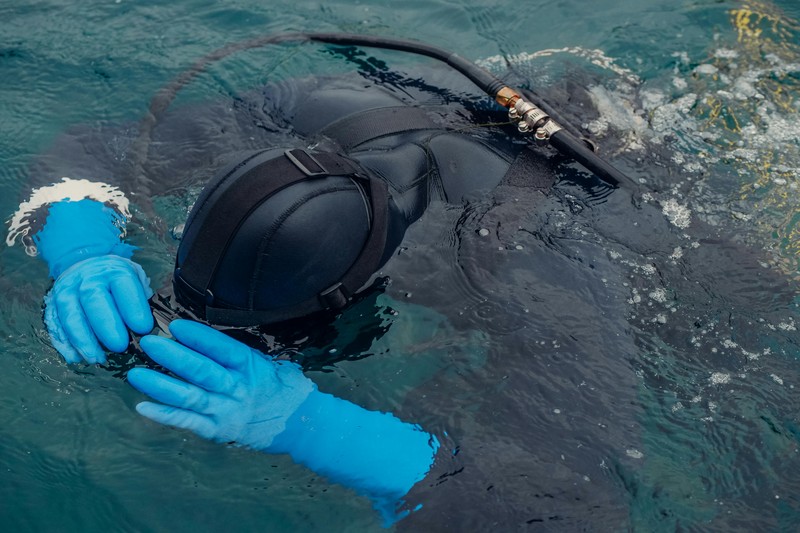
The biggest difference is the dive mode. Scuba computers are designed for long, deep dives with mandatory decompression stops and controlled ascents. Spearfishing using freedive mode flips that entirely. You’re doing short, repetitive dives with surface intervals measured in minutes, not hours. The computer tracks your repetitive dive stress, but the algorithm is different—it’s built on freediving physiology, not nitrogen absorption from compressed air.
Most spearfishers who skip a computer rely on a simple depth gauge or just their buddy’s signal. That works, but you lose visibility into surface interval timing and cumulative fatigue. The tradeoff is simplicity versus safety. Without a computer, you’re guessing how rested you are between dives. With one, you get a countdown timer and a clear “dive ready” indicator. But the catch is you have to use it correctly. If you leave it in scuba mode, it’ll beep constantly at you for ascent rate violations that don’t apply, and the surface interval algorithm will be wrong. Always switch to freedive or apneas mode before you hit the water. For those preparing for their first season, a dedicated freedive computer can make this transition much smoother.
Ascent rates are also different. In scuba, you ascend slowly—around 10 meters per minute. In freediving, you come up fast because you’re holding your breath. The computer needs to be set to freedive mode to understand that. If it’s in scuba mode, it will trigger a rapid ascent alert every time you surface from a 15-meter dive. That’s annoying and distracting. The same goes for safety stops—freedive mode won’t demand them. So if you’re borrowing a scuba computer, check the settings first. Many mid-range freedive-specific computers handle this automatically, but it’s worth confirming before you load the boat.
Essential Features to Look For in a Spearfishing Dive Computer
Not all dive computers are built for spearfishing. Here’s what matters most.
- Freedive Mode: essential. If the computer doesn’t have a dedicated freedive or apneas mode, skip it. You need the correct algorithm.
- Depth Rating: Spearos often push 30–40 meters. Look for a rating of at least 100 meters to be safe. Most freedive computers are rated to 120m or more.
- Screen Readability: You’ll be staring at it in low light, often with mask fog or glare from above. High-contrast displays matter more than fancy graphics. Monochrome LCDs are often better than color OLEDs for readability underwater.
- Battery Life: Rechargeable is convenient but can die mid-session if you forget to charge. Replaceable batteries (like CR2032) last months but require spares. Consider your habits. If you dive daily, rechargeable is fine. If you dive sporadically, user-replaceable is safer.
- Logbook Functionality: You don’t need a full dive log on the wrist, but the ability to sync to a phone app later is useful for pattern tracking. More on that below.
Popular models include the Suunto D5 (good screen, solid freedive mode, but rechargeable battery that lasts about a week of daily use), the Garmin Descent Mk2i (excellent GPS and mapping, long battery, but pricey and bulky), and the Shearwater Peregrine (great for scuba, decent freedive mode, but not as intuitive for spearing). For most spearfishers, a Suunto D5 or a Cressi Giotto in freedive mode offer a good balance of features and price. Beginners should start with something simple—don’t spend $1,000 on a Garmin if you’re just transitioning. A reliable depth gauge and timer is often enough for the first season.
How to Set Up Your Dive Computer for a Spearfishing Session
Setting up a dive computer for spearfishing takes about two minutes once you know the menu. Do it on the boat before you gear up, not in the water.
- Select Freedive Mode: This is almost always in the main menu under “Mode” or “Dive Type.” Some computers call it “Apnée” or “Freediving.” If you see a scuba icon, switch it. This changes the algorithm to track surface intervals and dive times based on breath-hold physiology.
- Set Depth Alarms: I set mine to 30 meters as a hard limit. If I’m hunting deeper, I adjust up to 40. The alarm is a vibration or beep that tells you to start your ascent. It’s a safety net for when you get tunnel vision on a big fish.
- Surface Interval Alerts: Most computers let you set a minimum surface interval, typically 60 to 90 seconds. Some divers ignore this, but it’s useful for pacing yourself on a long day. I set mine to 90 seconds and take a full two minutes between dives on deep sets.
- Customize the Display: You want depth, dive time, and surface interval visible at a glance. Avoid cluttering the screen with temperature or battery percentage. Big numbers, simple layout. Many computers allow you to select a “big digits” layout in freedive mode.
- Salinity Setting: Fresh water is less dense than salt water, so your depth reading will be slightly off if you set it to fresh and dive in salt. Most computers auto-calibrate now, but check the settings if you switch between lakes and ocean. Same for altitude—if you’re diving at altitude (e.g., Lake Tahoe), calibrate or the depth and ascent calculations will be inaccurate.
One common mistake is leaving the computer in scuba mode and then wondering why it keeps beeping at you during a freedive. Another is forgetting to set the depth alarm and then chasing a big amberjack past your usual limit. Set it on the dock, double-check it, and you’re good to go. If your computer pairs with a phone app, sync it after the session to review the data—most apps show a timeline of dives, surface intervals, and depth profiles that help you spot patterns.
Understanding Key Dive Metrics: Depth, Time, and Ascents
When you’re underwater, the computer shows three things you need to understand practically: depth, dive time, and ascent rate.
Maximum depth is the deepest point you reached during the dive. That’s useful for tracking your personal limits, but average depth matters more for safety. A dive to 25 meters that stays at 25 for 10 seconds is different from a dive that hovers at 15 meters for 40 seconds. The computer logs both, but on the wrist, focus on your current depth and how long you’ve been descending. If you see the depth stop increasing and you’re still descending, you’re about to hit bottom—it’s time to level off or start the hunt.
Dive time is the total time from submersion to surfacing. In freedive mode, this includes the descent and ascent. Don’t get caught staring at the timer—keep your head up and scan the reef. The computer is a tool, not a dashboard. If you’re below 20 meters and you’ve been down 60 seconds, start thinking about your exit. That’s where the ascent rate warning comes in.
Ascent rate warnings happen when you come up faster than a certain threshold, usually around 10 meters per second. In freedive mode, this is less restrictive than scuba mode, but if it goes off, it means you’re likely ascending too fast for the algorithm’s comfort. In practice, that means you’re probably kicking aggressively to the surface. Slow down if you can. If the computer beeps at you, just acknowledge it and keep ascending steadily. Don’t panic—it’s a reminder, not an emergency. But if you see it repeatedly, you might be exceeding your limits or surfacing too quickly because you’re out of breath. For those who want to track these metrics more easily, a simple wrist-mounted dive computer display can help keep your focus underwater.
Common Mistakes Spearos Make With Dive Computers
Even good divers make these errors. Here are four that I’ve seen and fixed myself.
- Ignoring surface intervals. The computer shows a “dive ready” or “no fly” countdown. If you surface after a 40-meter dive and your buddy is already dropping again 30 seconds later, the computer will tell you to wait. Ignoring it for two or three dives in a row is how you end up with shallow-water blackout or severe fatigue. Respect the timer. If it says wait 2 minutes, wait 2 minutes. Your lungs will thank you.
- Relying only on the depth gauge. A lot of spearfishers use a standalone depth gauge and ignore the timer and surface interval. That’s like driving a car with only a speedometer and no fuel gauge. The computer gives you context. If your depth gauge says 25 meters but you’ve been diving for 30 minutes with no rest, you’re already compromised. The computer will show you the cumulative load.
- Not calibrating for altitude. I’ve seen spearos dive at Lake Tahoe (1,900 meters elevation) with a computer set to sea level. The depth readings are off by about 10%, and the ascent calculations are wrong. If you dive altitude, calibrate the computer before the trip. Most models let you enter elevation manually or auto-calibrate after a few minutes above water.
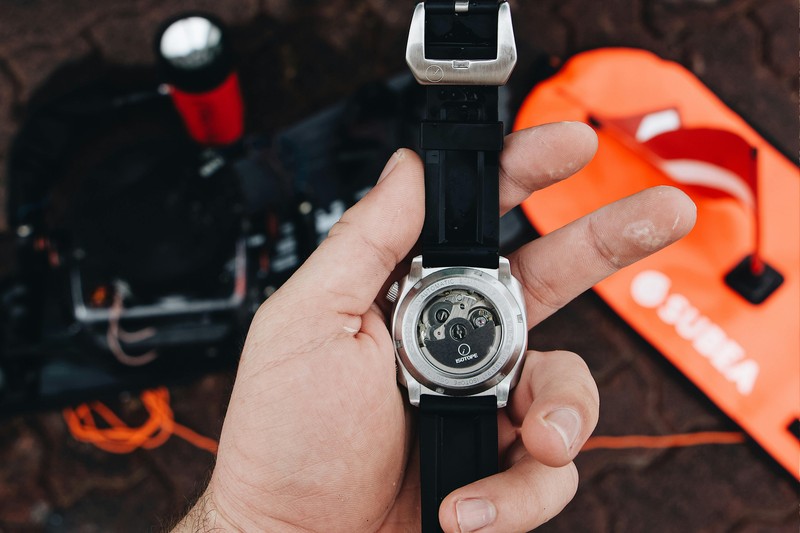
- Wearing the computer too loosely. If the strap is loose, the optical sensor (if it has one) might not read properly, and the screen might shift during a dive, causing you to misread depth. Worse, a loose computer can snag on a fishing line or kelp. Tighten it enough that it stays put on your wrist but doesn’t cut circulation. A snug fit also ensures the vibrating alert works—you’ll feel it against your skin. A replacement dive computer strap can help you find a better fit if the original is too loose.
One more: don’t panic if the computer beeps at you mid-dive. It’s probably a depth alarm you set earlier. Just glance at it, confirm you’re within limits, and keep going. The noise is a tool, not a warning of imminent doom.
How to Plan Your Dives Using the Computer’s Logbook
The logbook is often overlooked, but it’s one of the most valuable features for improving your hunting strategy. After a session, sync your computer to the phone app or scroll through the log on the device. Look for patterns.
For example, if you notice that your average dive time decreases after three deep dives without a long surface interval, that’s your body telling you something. Use that data to set a daily limit. Maybe you decide, “I won’t dive below 25 meters after the third deep drop,” or “I’ll take a five-minute break after every fourth dive.” The logbook helps you see those patterns instead of relying on memory, which is unreliable after a long day on the water.
Another practical use is tracking depth and time for specific hunting spots. If you dive a certain reef regularly, the logbook can show you that you tend to hit 30 meters on the south side but only 20 meters on the north. That helps you plan your drops. It also lets you notice if you’re consistently diving deeper than you intended—a sign that you might be pushing limits without realizing it.
For safety, review the logbook after a few trips to see if your surface intervals are consistently too short. I’ve had to adjust my rest intervals based on logbook data—I was rushing between dives because I felt fine, but the data showed my ascent rate increased on deeper dives when I didn’t wait long enough. That’s actionable feedback.
Battery Management and Charging Routines
Nothing kills a good day of spearing like a dead computer 20 minutes in. Battery expectations vary by model. Rechargeable computers like the Suunto D5 last about a week of daily freediving, which is fine for a trip but risky if you forget to charge overnight. Replaceable battery models (Cressi Giotto, Sherwood Ao) last months on a single CR2032 or CR2450, but you need to carry spares.
Here’s a simple pre-trip checklist:
- Check the battery level the night before. If it’s below 30% on a rechargeable model, charge it fully overnight.
- If it uses replaceable batteries, test the current battery. If it’s more than three months old or shows a low battery indicator, swap it. I carry two spare CR2032s in a small waterproof container.
- On the boat, keep the computer in a warm, dry place. Cold can drain batteries faster. If you’re diving in winter, consider a rechargeable model with a power bank in your dry bag.
- After the dive, wipe the contacts dry. Saltwater corrosion on charging pins is a common issue. Rinse the computer with fresh water after each trip and let it air dry before charging.
If you’re going on a week-long trip, bring a portable charger or extra batteries. A small power bank can charge most rechargeable computers two or three times. A spare battery kit is also worth having. Don’t assume your buddy has one—be self-sufficient. A portable battery pack for dive computers is a reliable backup to keep on hand.
Dive Computer vs Depth Gauge: When Do You Need the Extra Data?
The simple answer is: a depth gauge is enough if you’re diving shallow (under 20 meters), doing short sessions, and you’re in good shape with a reliable buddy. It’s cheaper, lighter, and less distracting. Many spearfishers have used nothing but a depth gauge for years and been fine.
But a dive computer adds safety metrics that matter when conditions get challenging. If you’re diving repetitive deep drops—say, multiple 30-meter dives in a morning—you need the surface interval tracking and cumulative fatigue data. I’ve seen experienced spearfishers get borderline hypoxic because they didn’t realize how quickly their rest intervals were shrinking. The computer catches that.
Another scenario is when the water is rough or visibility is low. Under those conditions, it’s easy to misjudge depth or time. The computer provides objective data that prevents you from exceeding your limits. I remember a dive off an island where the current was strong and I lost track of time chasing a fish. The depth alarm went off at 28 meters, reminding me to start the ascent. Without it, I might have stayed down too long and surfaced short on air.
For most spearfishers, a dedicated freedive computer is worth the investment if you dive below 20 meters or do more than five dives in a row. If you’re strictly shallow and casual, a depth gauge plus a buddy system is fine. But if you want to push limits safely, the computer gives you the margin.
Caring for Your Dive Computer After Saltwater Exposure
Saltwater is aggressive on electronics. After every trip, rinse your computer with fresh water. Don’t soak it—just a gentle spray or dip to remove salt crystals from the buttons, screen, and strap. Then dry it with a microfiber cloth. Pay attention to the charging port or battery compartment. If water gets in there, corrosion can ruin the seals and void the warranty.
Silicone straps need occasional care too. Salt buildup can make them stiff and brittle. Rinse them thoroughly and let them dry flat. If the strap develops cracks, replace it before it snaps mid-dive. Same for the screen—avoid abrasive cleaners or alcohol wipes. A soft cloth and warm water is all you need. Store the computer away from direct sunlight and extreme heat. A hot car dashboard can warp the housing or damage the LCD.
A small rinse tank or a dedicated travel case with a drying compartment is a nice convenience, especially if you dive frequently. I use a simple plastic container with a lid—fill it with fresh water at the dock, drop the computer in for a few minutes, then dry and store. It’s low-tech but effective. If you’re traveling, a padded case protects the screen and keeps the strap from getting bent. Those are small investments that extend the life of the device.
Final Thoughts and Getting Started
A dive computer is a practical tool for spearfishing if you use it the right way. Choose a model with freedive mode, set it up before the dive, understand the metrics you see on the screen, avoid the common mistakes we covered, and use the logbook to track your patterns. It won’t make you a better diver overnight, but it will give you data to make smarter decisions underwater and on the surface.
The spearfishers who benefit most are those who dive regularly, push deeper than 20 meters, or want to manage repetitive dive fatigue more carefully. If that sounds like you, it’s time to get a dedicated computer and learn how it works in your local conditions. Don’t overthink the brand or features—start with a reliable model from a trusted brand and build your confidence with it over a few trips.
Ready to get started? You can browse freedive computers here.
Want the right computer for your style of diving? See our gear guide for full recommendations, or check out top-rated dive computers for spearos.